11tyCMS: THE Eleventy Meetup appearance, metadata improvements, more post and collection goodness
posted on Oct 26, 2025
THE Eleventy Meetup! (potential for a Silex collab? 👀 )
So in late September, we appeared on THE Eleventy Meetup. It was fantastic talking with Sia and getting to present alongside the fabulous Alex and his Silex project. Alex and I rehearsed online together before the meetup, and we both were very impressed with each other's projects and wanted to collaborate in the future! We've discussed potentially working on integration of 11tyCMS and Silex at some point in our roadmaps. Very exciting stuff indeed. Do give Silex a look, its a very cool, well established FOSS project for building websites!
The presentation went without a hitch, though I was very nervous. Unfortunately, public speaking is not yet a skill of mine (I'm now reading about public speaking!), so there were a lot of "umms". But I got through it, and managed to show everything to do with 11tyCMS's roadmap!
Metadata improvements
When I implemented metadata functionality in July, you could only add metadata to a post. You couldn't remove or edit it. Well, no longer! You can now edit and remove metadata properties from your post's front matter. This was a huge undertaking, as the metadata system and components needed a total overhaul. However, this meant the code got refactored into something that was of decent quality.
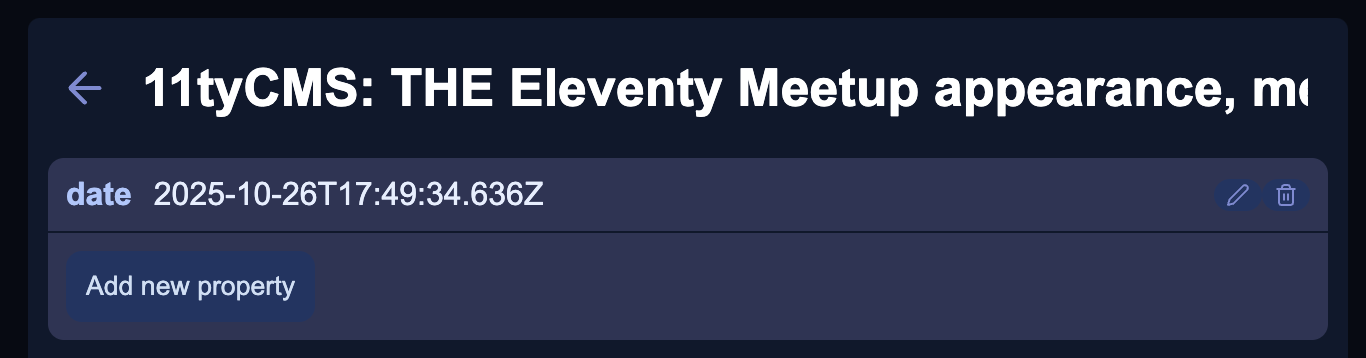
As you can see, each metadata property has an edit and delete icon next to it. When selecting edit, it changes to the edit view:
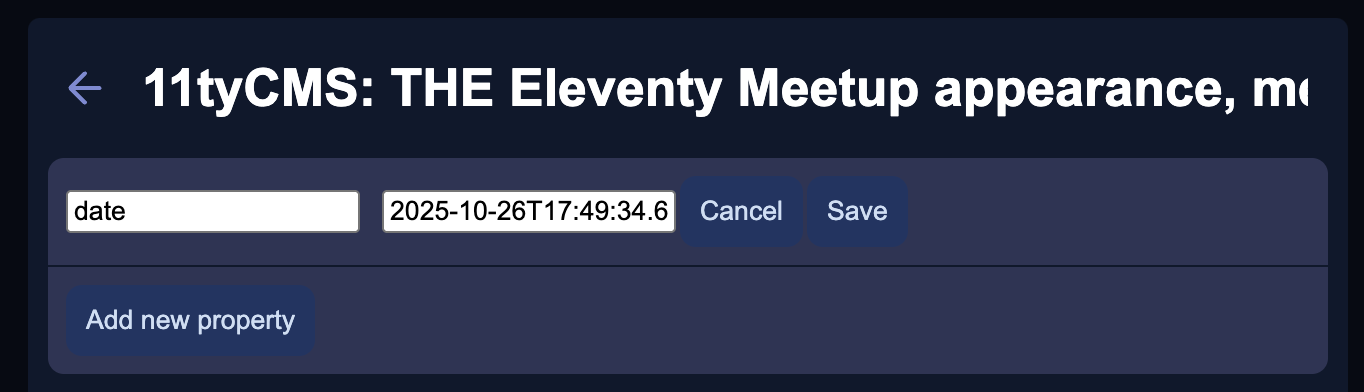
This is a WAY better experience. Now obviously, design wise? It has a long way to go. But, the functionality is now there, the looks can follow.
Post management
Post management has also got an upgrade. Whenever you open up a collection, you can hover over a post you want to delete, and you'll be greeted with the delete icon, just like in metadata:
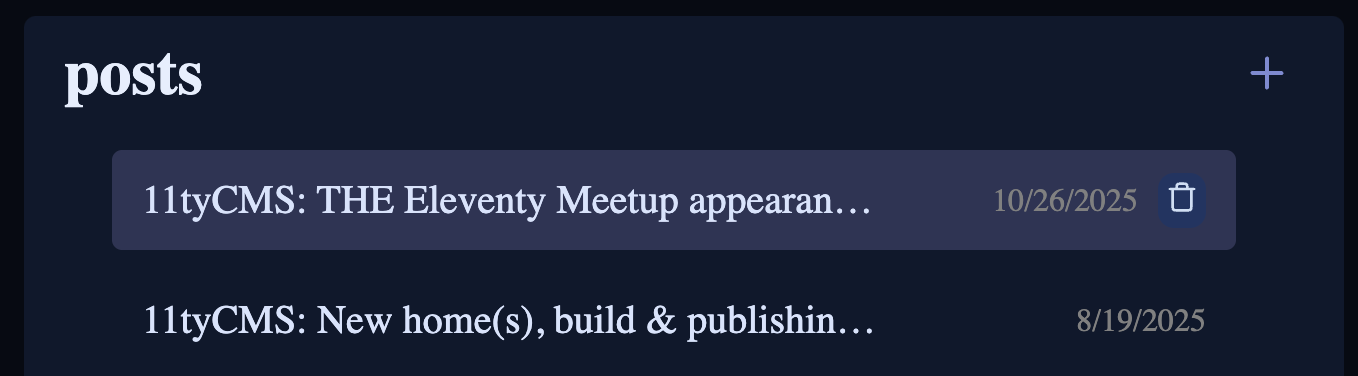
Upon clicking, you'll be prompted with a confirmation modal:
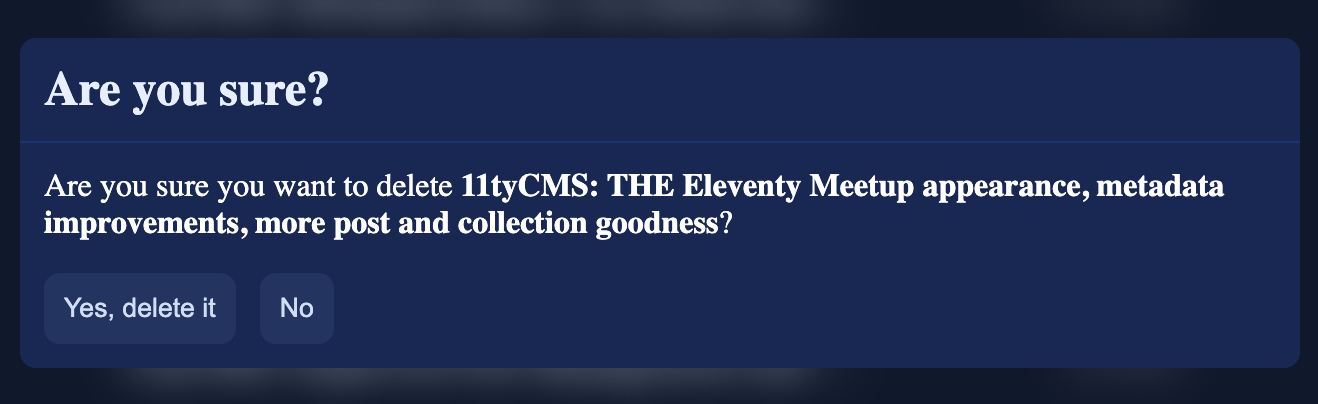
Very happy with how this has come out. We do need to figure out how to handle editing file names for each post, though. But that'll be for another update.
Adding collections
I've been looking forward to adding this feature. You can now press a button to create a new collection, select its layout and start adding new posts immediately after!
This was a cool feature to implement. I had to make 11tyCMS aware of the _includes folder and its contents. This is where the layouts are, so I've added code in the Electron "backend" which compiles a list of all the layout HTML files, along with their frontmatter. I've then used this data in the add collection modal.
Small sidebar alteration
So, I needed a place to put a "add collection" button. But it was tricky. Until I realized that the collections list didn't have a label. So I came up with this (comically small for size):
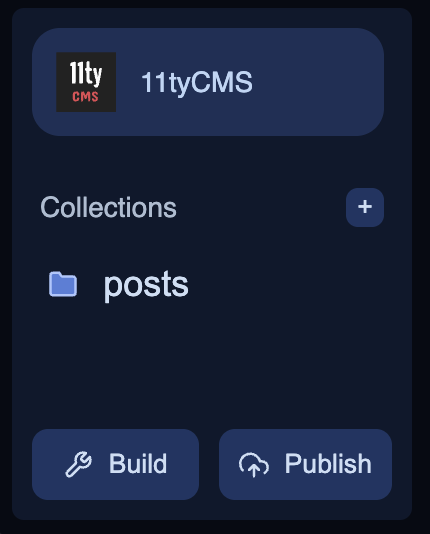
The modal
Upon pressing the little + button, you'll get a modal:
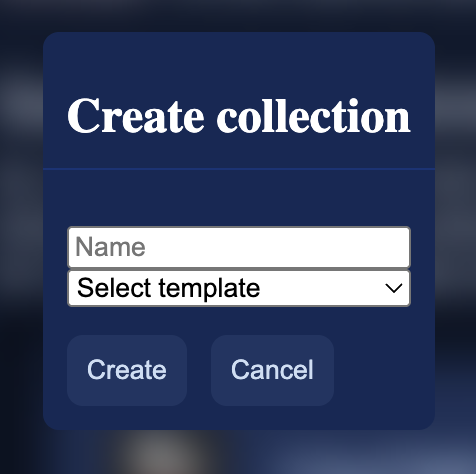
The "Select template" dropdown will list all available layouts:
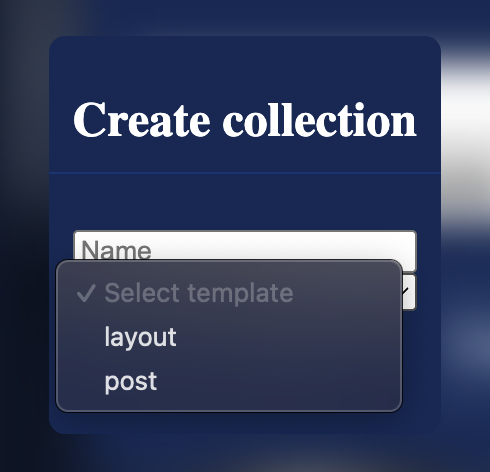
Obviously, once you press create? It creates the collection's folder, with its accompanying JSON file, all ready to go!
Conclusion
That's all for today! But I think we've made some pretty huge strides usability wise. Things just keep getting better! The next step will hopefully getting the site dashboard working, as I want the ability to have different publish methods available per site. That and git publishing support.
Until then, follow us on Mastodon!
See you soon :)